Home | Community | Message Board


This site includes paid links. Please support our sponsors.


Welcome to the Shroomery Message Board! You are experiencing a small sample of what the site has to offer. Please login or register to post messages and view our exclusive members-only content. You'll gain access to additional forums, file attachments, board customizations, encrypted private messages, and much more!

Shop: Myyco.com Golden Teacher Liquid Culture For Sale   Mushroom-Hut Substrate Mix

Jump to first unread post Pages: 1 | 2 | 3  [ show all ]
The image resize script...
    #8512673 -

Ythan,

I know you or one of the other tech admins probably worked hard to implement this resize script... But it sucks balls. Totally sucks balls. It resizes the images and compresses them to hell which makes them look like cheap shitty porn images circa the 1990s.

Can you at least PLEASE remove this script, at least for supporters? I hate photoshopping the bejesus out of an image so it looks perfect then uploading it here and seeing it look like compressed bullshit. :frown: :frown: :frown:

Extras: Filter Print Post Top
Re: The image resize script... [Re: Gumby]
    #8512694 -

I'm not really sure what you're talking about, could you please show me a comparison between the original image, the way the Shroomery resizes it, and the way you think it should be resized? Also, if you're photoshopping the bejesus out of an image why not just save it with the proper dimensions in the first place?

Extras: Filter Print Post Top
Re: The image resize script... [Re: Ythan]
    #8512837 -

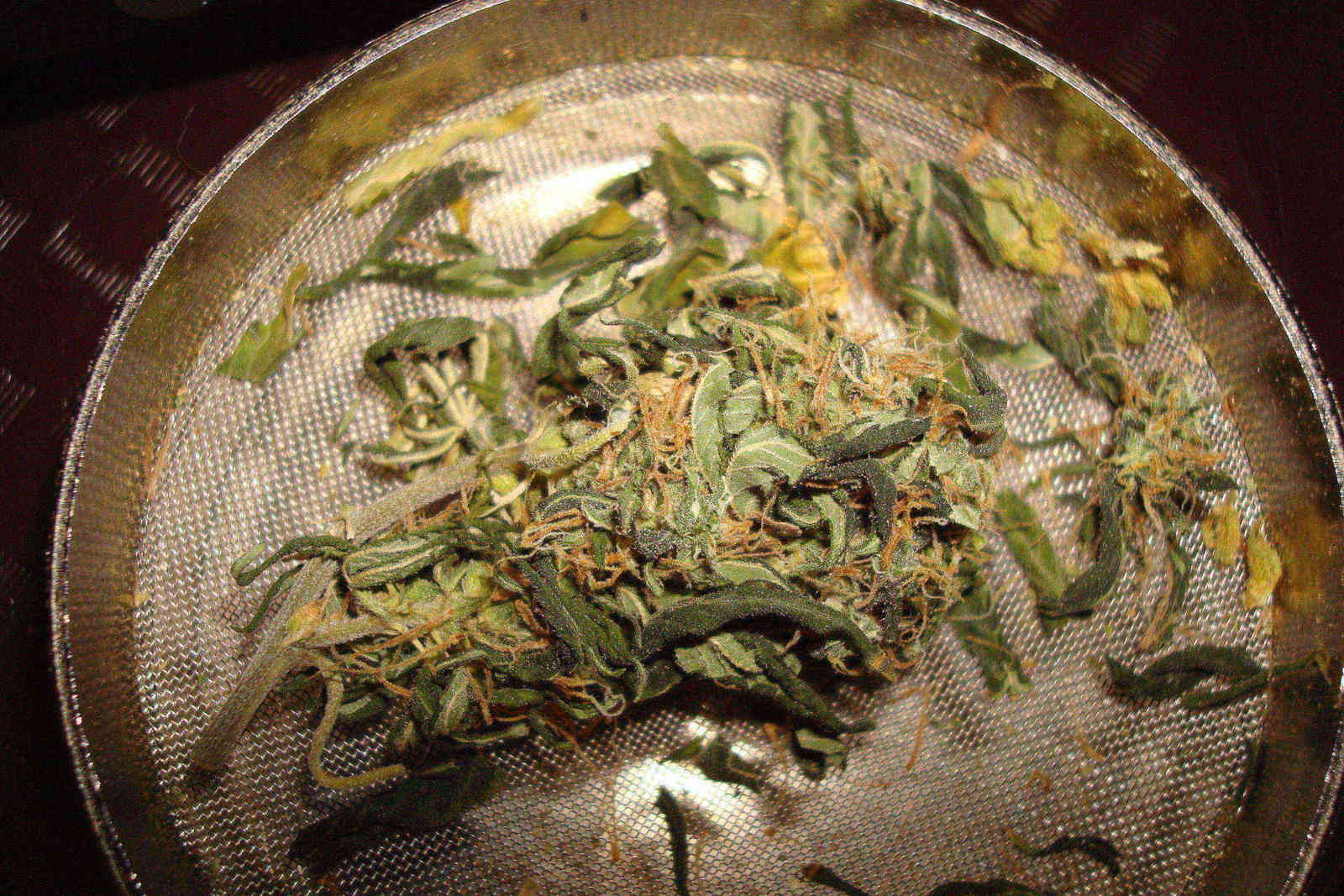
Because higher res allows you to see more detail than low res. Here is the latest example:

http://www.shroomery.org/forums/files/08-24/323476934-bk1.jpg
http://www.impakt.net/~tyler/new/weilii/buds/bk1.jpg

Perhaps I have another... hold up
Damnit I have so many pictures uploaded I can't find my other example.

Point is: the resize script kills detail and tends to add darkness. How about for supporters images under 1280 (H or W) don't get resized? I always try to keep my "web ready" images under those dimensions. Would that be agreeable?

Extras: Filter Print Post Top
Re: The image resize script... [Re: Gumby]
    #8513208 -

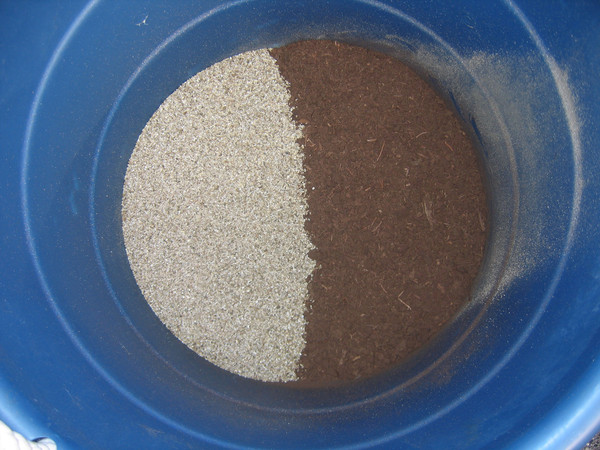
Aaah okay, I totally forgot about that feature. It only kicks in if the file size of an image you're uploading is larger than the maximum allowed (for supporters it's 512KB). In those cases it does try increasingly aggressive optimizations to bring down the file size. It's actually meant as a user-friendly alternative to simply rejecting the upload after a long transfer. To prevent images you upload from being modified you should make sure they're beneath the maximum file size. If your image is a JPEG you can often increase the compression without much noticeable difference. For example, one half of the image below is from the original which was 588KB. The other half I recompressed to a scant 150KB. Can you tell which is which?


And if I had the lossless source image, the 150KB side would look even better.

Anyway I apologize for the confusion and inconvenience, and I'll try tweaking the script to squeeze some additional quality out of the processed images. But your best bet is probably to handle any compression yourself to ensure the image is small enough that it doesn't require modification on our end.

Extras: Filter Print Post Top
Re: The image resize script... [Re: Ythan]
    #8513869 -

The main problem with the compression script is that it generates an image that is only 600 pixels wide.  If it made an image that was 1024 or 1280 wide it would be a lot better.

Extras: Filter Print Post Top
Re: The image resize script... [Re: Ythan]
    #8513917 -

Both sides of that picture is ugly quality :/

Extras: Filter Print Post Top
Re: The image resize script... [Re: Alan Rockefeller]
    #8514108 -

> The main problem with the compression script is that it generates an image that is only 600 pixels wide.

For those that browse on small screens, large pictures in threads are highly annoying.  (Well, they used to be... the new code that puts in scroll bars fixes that issue.)


--------------------
Just another spore in the wind.

Extras: Filter Print Post Top
Re: The image resize script... [Re: Seuss]
    #8514151 -

Shroomery pics are always shown as thumbnails in posts so that can't be annoying.

Extras: Filter Print Post Top
Re: The image resize script... [Re: Annom]
    #8514572 -

Im not a supporter... yet, but every now and then I get a picture like this...

http://www.shroomery.org/forums/files/07-48/607240817-running.jpg

It can be resized to the full image size. Is this a mistake?


--------------------
MY TRADE LIST!!!

FULLY AUTOMATIC!! 12-Pot Multi Grow Hydroponic System for Trade.


Download PSX ISOs

Extras: Filter Print Post Top
Re: The image resize script... [Re: legallyhomeless]
    #8514701 -

No, not a mistake! The poster did what we are supposed to do and used a decent jpg compression. That image is only 225kb, which is allowed.

Extras: Filter Print Post Top
Re: The image resize script... [Re: Seuss]
    #8517366 -

Quote:
(Well, they used to be... the new code that puts in scroll bars fixes that issue.)


yeah, i have noticed this and i'm not too fond of it. i would just rather see a thumbnail or something. but most of the time, when i wanna see a picture in full size i either click on it (if it's a thumbnail) or right click + view pic.

is there a way to not have those scrollbars?

Extras: Filter Print Post Top
Re: The image resize script... [Re: maggotz]
    #8517477 -

I posted that picture and uploaded as normal. It never shrank down. Now you HAVE to have the image the right size or u get an error. This is so lame.


--------------------
MY TRADE LIST!!!

FULLY AUTOMATIC!! 12-Pot Multi Grow Hydroponic System for Trade.


Download PSX ISOs

Extras: Filter Print Post Top
Re: The image resize script... [Re: Ythan]
    #8519196 -

Ythan said:
Aaah okay, I totally forgot about that feature. It only kicks in if the file size of an image you're uploading is larger than the maximum allowed (for supporters it's 512KB).


Ahhh, alright. I try to avoid compressing my images at all because I'm a big fan of quality pictures. But jpeg compression of 8 or 9 in Photoshop only sacrifices a tiny bit of quality and a reduces file size immensely. I'll start doing that. Gracias mang.

Extras: Filter Print Post Top
Re: The image resize script... [Re: Gumby]
    #8519663 -

I think a lot of people are going to stop posting pictures because many people do not have the software required to resize images. If you try to upload one now thats too big you get an error and the image isnt resized.

To get around this (which is a pain in the ass) I had to pick an image I DIDNT want uploaded followed by the ones I did. Now the error only happes for the first picture thats too big and the rest get resized as normal.

Maybe you should have it so that if your image is the right size... great, but if not it will resize it for you. I admit you lose SOME quality, but do 90% or shroomery members have some sort of photo editor?


--------------------
MY TRADE LIST!!!

FULLY AUTOMATIC!! 12-Pot Multi Grow Hydroponic System for Trade.


Download PSX ISOs

Extras: Filter Print Post Top
Re: The image resize script... [Re: legallyhomeless]
    #8519841 -

That should not be the case... I did make some changes to the upload script, but only to attempt more fine-grained levels of optimization when an image exceeds the maximum size. To test, I used a regular non-admin, non-supporter account with an upload limit of 256KB and uploaded the infamous test photo http://www.impakt.net/~tyler/new/weilii/buds/bk1.jpg which is 588KB. The upload succeeded and produced the optimized image http://www.shroomery.org/forums/files/08-24/338590041-bk1.jpg which is 212KB. The only time an upload should be refused is if it's compressed to 30% quality and resized to 600px at its largest dimension and it still exceeds the maximum filesize. However, this is similar to how it always was. Can you please give me a link to the picture which you're unable to upload by itself?

Extras: Filter Print Post Top
Re: The image resize script... [Re: Ythan]
    #8520418 -

All of the pictures are stored on my computer. Only after you said you made thoes changes did I expirence any problems. Its not that big of an issue having to pick a picture I dont want uploaded first...not that I know I can still upload.

The one that failed was the one that I picked to be in the first upload box.


Now when I tried to upload the picture above, I used a very very small image and then that one. BOTH uploaded!


--------------------
MY TRADE LIST!!!

FULLY AUTOMATIC!! 12-Pot Multi Grow Hydroponic System for Trade.


Download PSX ISOs

Edited by legallyhomeless (06/13/08 04:31 PM)

Extras: Filter Print Post Top
Re: The image resize script... [Re: Ythan]
    #8521639 -

Ythan said:
That should not be the case... I did make some changes to the upload script, but only to attempt more fine-grained levels of optimization when an image exceeds the maximum size. To test, I used a regular non-admin, non-supporter account with an upload limit of 256KB and uploaded the infamous test photo http://www.impakt.net/~tyler/new/weilii/buds/bk1.jpg which is 588KB. The upload succeeded and produced the optimized image http://www.shroomery.org/forums/files/08-24/338590041-bk1.jpg which is 212KB. The only time an upload should be refused is if it's compressed to 30% quality and resized to 600px at its largest dimension and it still exceeds the maximum filesize. However, this is similar to how it always was. Can you please give me a link to the picture which you're unable to upload by itself?


i did not readd this post complllertely as i am a little fucked up right now but i would really like if the whiole "scrollbar on large images" was optional.. :shrug:

Extras: Filter Print Post Top
Re: The image resize script... [Re: legallyhomeless]
    #8522546 -

Legallyhomeless can you please send me a copy of the actual picture that won't upload, so I can try to reproduce the problem? Again, when I tried with an image which was too large it worked fine, so I need some help tracking this down. You can e-mail it to ythan@shroomery.org.

Maggotz talk to Alan Rockefeller, he's the one who asked that we stop enforcing a max-width on offsite images and the scrollbars are a necessary alternative. I'm not fucking with it any more right now so learn to love it the way it is.

Extras: Filter Print Post Top
Re: The image resize script... [Re: Ythan]
    #8522965 -

I cant upload my big pictures either ythan :/ its gay

Quote:
There were problems with your upload:
DSC07224.jpg was bigger than the allowed file size and was not saved.


i dont liek that... But every os has some type of editor that can resize..  so its not THAT big of a deal... It would be nice to have it fixed though :laugh:

Extras: Filter Print Post Top
Re: The image resize script... [Re: implee]
    #8523037 -

Ythan said:
The only time an upload should be refused is if it's compressed to 30% quality and resized to 600px at its largest dimension and it still exceeds the maximum filesize. However, this is similar to how it always was. Can you please give me a link to the picture which you're unable to upload by itself?


Ythan said:
can you please send me a copy of the actual picture that won't upload, so I can try to reproduce the problem? Again, when I tried with an image which was too large it worked fine, so I need some help tracking this down. You can e-mail it to ythan@shroomery.org.


You guys are killing me! A little help please?

Extras: Filter Print Post Top
Re: The image resize script... [Re: Ythan]
    #8523041 -

Im sending a picture of me goatsying the cam for you ythan


Jk, no nudity was involved

Extras: Filter Print Post Top
Re: The image resize script... [Re: Ythan]
    #8523140 -

> stop enforcing a max-width on offsite images and the scrollbars are a necessary alternative.

I really dig the scrollbars! :thumbup:

Now I can read threads with huge pictures easily on a single monitor, or drag the window across both monitors for a sweet view.

This was the first post I realized this option was available on, and I'll never forget it! :flowstone:


--------------------

--------------------
··∙   long live the shroomery  ∙··
...π╥ ╥π...

Extras: Filter Print Post Top
Re: The image resize script... [Re: geokills]
    #8523337 -

what i don't like about it is that i can no longer see the whole picture.

Extras: Filter Print Post Top
Re: The image resize script... [Re: maggotz]
    #8523445 -

maggotz said:
what i don't like about it is that i can no longer see the whole picture.


:hulk:


--------------------
MY TRADE LIST!!!

FULLY AUTOMATIC!! 12-Pot Multi Grow Hydroponic System for Trade.


Download PSX ISOs

Extras: Filter Print Post Top
Re: The image resize script... [Re: legallyhomeless]
    #8523487 -

legallyhomeless said:
To get around this (which is a pain in the ass) I had to pick an image I DIDNT want uploaded followed by the ones I did. Now the error only happes for the first picture thats too big and the rest get resized as normal.


Thats exactly what I thought was happening that I didn't want to happen.

Quote:
Maybe you should have it so that if your image is the right size... great, but if not it will resize it for you. I admit you lose SOME quality, but do 90% or shroomery members have some sort of photo editor?


They should. They're easy to use and free. No reason not to have one.

Extras: Filter Print Post Top
Re: The image resize script... [Re: maggotz]
    #8524450 -

maggotz said:
what i don't like about it is that i can no longer see the whole picture.


right click->view image

Scroll bar is better, it doesn't affect the whole thread.

Extras: Filter Print Post Top
Re: The image resize script... [Re: implee]
    #8524634 -

Thanks to the guys who sent me pictures, the problem with it rejecting too large uploads should be fixed. :smile:

Maggotz I see your point and I'll think about other solutions, maybe it should be a preference whether images are full-sized or not.

Extras: Filter Print Post Top
Re: The image resize script... [Re: Ythan]
    #8525337 -

Ythan said:
Thanks to the guys who sent me pictures, the problem with it rejecting too large uploads should be fixed. :smile:

Maggotz I see your point and I'll think about other solutions, maybe it should be a preference whether images are full-sized or not.


Your welcome, and yes I think have an option for that pref. is a nice idea.


--------------------
MY TRADE LIST!!!

FULLY AUTOMATIC!! 12-Pot Multi Grow Hydroponic System for Trade.


Download PSX ISOs

Extras: Filter Print Post Top
Re: The image resize script... [Re: Annom]
    #8526010 -

Annom said:
maggotz said:
what i don't like about it is that i can no longer see the whole picture.


right click->view image

Scroll bar is better, it doesn't affect the whole thread.


i know all about right click + view image, if you read my previous posts you'll see that i already use do that with most images i want to see in detail.

when there is huge image in a thread, i'd like to be able to see the entire picture before i decide if i want more detail or not. sometimes, i don't even know what i'm looking at till i start moving the scrollbar.

Quote:
Maggotz I see your point and I'll think about other solutions, maybe it should be a preference whether images are full-sized or not.


if it's not too much of a pain in the ass, i'd like that. :smile:

Edited by maggotz (06/15/08 05:25 AM)

Extras: Filter Print Post Top
Re: The image resize script... [Re: maggotz]
    #8526514 -

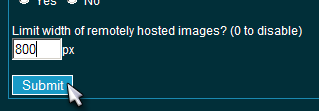
Okay well I took some time and evaluated a couple options. I almost went with the jQuery autoscale plugin since it's pretty slick and I want to switch to jQuery anyway. However, I don't think it's exactly what we need... there's no way to view an image full-sized on a small monitor, and there could be performance problems in long threads with lots of images. In the end I went with a simple option at the bottom of the display preferences:


The default is 0 or disabled, set it to 800 for the old behavior. Hope this helps and let me know if you encounter any problems. :smile:

Extras: Filter Print Post Top
Re: The image resize script... [Re: Ythan]
    #8526892 -

nice, thanks a lot.

Extras: Filter Print Post Top
Re: The image resize script... [Re: maggotz]
    #8526969 -

The images now uploaded look like hell! WHY ARE YOU DOING THIS TO MEEEEE?!?!?!

before


after


--------------------
MY TRADE LIST!!!

FULLY AUTOMATIC!! 12-Pot Multi Grow Hydroponic System for Trade.


Download PSX ISOs

Extras: Filter Print Post Top
Re: The image resize script... [Re: legallyhomeless]
    #8527009 -

Hehe... sorry our resizing algorithm was only tested on particulate matter down to .5cm, any smaller than that and it can fall through the convolution matrix and gum up the rasterizers. :grin:

Extras: Filter Print Post Top
Re: The image resize script... [Re: Ythan]
    #8527041 -

lol. Now the pictures are big. I dont understand the sizing. I uploaded a 1 meg pic.


Im not a supporter


--------------------
MY TRADE LIST!!!

FULLY AUTOMATIC!! 12-Pot Multi Grow Hydroponic System for Trade.


Download PSX ISOs

Extras: Filter Print Post Top
Re: The image resize script... [Re: Ythan]
    #8527176 -

Ythan it looks like you rain it through GIF compression
http://www.shroomery.org/forums/files/08-24/356428818-DSC07250.jpg

Plus you cant tell if these are trichomes or compression artifacts

http://www.shroomery.org/forums/files/08-24/356475030-DSC07246.jpg

Extras: Filter Print Post Top
Re: The image resize script... [Re: implee]
    #8527293 -

Okay I made one final change to the upload script. I tried to strike a better balance between aggressive compression settings and decreasing the image dimensions. Instead of compressing the fuck out of the image and then resizing it if necessary, it alternates between the two, gradually reducing both the quality and dimensions. This goes against the original request in this thread ("don't resize images if at all possible"), but I swear to god, if one more person with a .25MB upload limit complains that their 12MB image isn't reproduced in perfect quality, I'm replacing our gallery with a link to Imageshack. Compress it yourself if you don't like the automated results!

Extras: Filter Print Post Top
Re: The image resize script... [Re: maggotz]
    #8528813 -

Quote:
i know all about right click + view image, if you read my previous posts you'll see that i already use do that with most images i want to see in detail.


ahh, yes! I agree with the point you made.

Thanks Ythan for making the changes!

Extras: Filter Print Post Top
Re: The image resize script... [Re: Ythan]
    #8528859 -

Jquery is amazing.  How much have you got a chance to mess around with it ythan?


--------------------
Those who would give up a little freedom to get a little security shall soon have neither.
-Benjamin Franklin

Extras: Filter Print Post Top
Re: The image resize script... [Re: Legend9123]
    #8529334 -

Scroll bars are fine if there isn't too much text with it.  Otherwise you have to scroll back and forth to read.

Other than that, they rock.


--------------------

Extras: Filter Print Post Top
Re: The image resize script... [Re: Legend9123]
    #8529341 -

I've used it on some other projects but not on the Shroomery yet. I really should have started using a framework for this site already but a lot of the scripts were written before there were good options available. It'll be a lot of work to update all our scripts to use a framework, but that's probably what I'll do eventually to ease maintenance. I'm trying to decide between jQuery and MooTools, I like MooTools but I'll probably go with jQuery because of the larger community.

Extras: Filter Print Post Top
Re: The image resize script... [Re: Ythan]
    #8529771 -

Well it was fixed for a short time but Im getting the same error when trying to upload pics.


--------------------
MY TRADE LIST!!!

FULLY AUTOMATIC!! 12-Pot Multi Grow Hydroponic System for Trade.


Download PSX ISOs

Extras: Filter Print Post Top
Re: The image resize script... [Re: legallyhomeless]
    #8529785 -

Can you resize them yourself to be within the limits? Thank you.

Extras: Filter Print Post Top
Re: The image resize script... [Re: Anno]
    #8529871 -

I guess :shrug:


--------------------
MY TRADE LIST!!!

FULLY AUTOMATIC!! 12-Pot Multi Grow Hydroponic System for Trade.


Download PSX ISOs

Extras: Filter Print Post Top
Re: The image resize script... [Re: Anno]
    #8539974 -

Anno said:
Can you resize them yourself to be within the limits? Thank you.


If you have windows, you can:
1. right-click the picture - select "open with"
2. select "paint"

With paint now displaying the pic:
3. click on the "image" button at the top
4. select "attributes..."

A window pops up and tells you picture size on disc, resolution and width & height in pixels, cm, or inches. You can now:
5. Change the values for width & weight

You should try to keep the two variable numbers in proportion to each other when resizing, to keep the pic from stretching too much.  For example if your width & height values are 2000 & 1500 respectively. You could reduce the pic size by a quarter by changing them to 1500 & 1125 respectively.
Hope this helps, I'm pretty sure paint is standard in windows.

Extras: Filter Print Post Top
Re: The image resize script... [Re: laminatedgorilla]
    #8540328 -

Have you ever tried to save a JPEG using paint? It makes them look aweful. Why did my post get deleted that was thanking Ythan for making one final adjustment?! ANNO!?


--------------------
MY TRADE LIST!!!

FULLY AUTOMATIC!! 12-Pot Multi Grow Hydroponic System for Trade.


Download PSX ISOs

Edited by legallyhomeless (06/19/08 10:57 AM)

Extras: Filter Print Post Top
Re: The image resize script... [Re: laminatedgorilla]
    #8540357 -

Easiest is to use software that can resize a bunch of images. I use the non-free ACDSee; select images->resize all->set resolution->set jpg compression->go.

There has to be free software to do this, anyone?

Extras: Filter Print Post Top
Re: The image resize script... [Re: Annom]
    #8540817 -

gimp or paint.net

Extras: Filter Print Post Top
Re: The image resize script... [Re: Annom]
    #8540908 -

Annom said:
Easiest is to use software that can resize a bunch of images. I use the non-free ACDSee; select images->resize all->set resolution->set jpg compression->go.

There has to be free software to do this, anyone?


http://www.irfanview.com/

Extras: Filter Print Post Top
Re: The image resize script... [Re: Anno]
    #8540910 -

Thanks! :thumbup:

Extras: Filter Print Post Top
Re: The image resize script... [Re: legallyhomeless]
    #8540914 -

legallyhomeless said:
Why did my post get deleted that was thanking Ythan for making one final adjustment?! ANNO!?


You mean this one?
http://www.shroomery.org/forums/showflat.php/Number/8536651#Post8536651
It wasn't.

Extras: Filter Print Post Top
Re: The image resize script... [Re: Anno]
    #8541990 -

:mushroom2:


--------------------
MY TRADE LIST!!!

FULLY AUTOMATIC!! 12-Pot Multi Grow Hydroponic System for Trade.


Download PSX ISOs

Extras: Filter Print Post Top
Jump to top Pages: 1 | 2 | 3  [ show all ]

Shop: Myyco.com Golden Teacher Liquid Culture For Sale   Mushroom-Hut Substrate Mix


Similar ThreadsPosterViewsRepliesLast post
* Images copy script crashes Opera Colonel Kurtz Ph.D 2,031 7 05/27/07 01:07 PM
by Colonel Kurtz Ph.D
* the new image upload script... Smack31 1,328 2 09/28/02 12:41 PM
by Smack31
* ATT - resized avatars AnnoA 4,067 19 10/05/02 12:06 AM
by Anno
* Allowed Upload Image Size ivi 1,995 8 12/19/04 01:29 PM
by OJK
* are pix resized?? Arp 778 2 04/01/07 03:55 PM
by cybrbeast
* images that dont need to be resized Phychotron 466 0 12/12/05 06:32 PM
by Phychotron
* How do you get an avatar that links to a full-size version of the image JunkFood 1,324 5 05/07/07 02:31 PM
by JunkFood
* Tiny images of our avatars in each index should be bigger!!! Irishdrunk 1,285 15 08/15/07 02:26 PM
by Irishdrunk

Extra information
You cannot start new topics / You cannot reply to topics
HTML is disabled / BBCode is enabled
Moderator: Ythan, Thor, Seuss, geokills
8,591 topic views. 0 members, 15 guests and 3 web crawlers are browsing this forum.
[ Show Images Only | Sort by Score | Print Topic ]
Search this thread:

Copyright 1997-2026 Mind Media. Some rights reserved.

Generated in 0.051 seconds spending 0.009 seconds on 14 queries.